iCal
You can use iCal feature to sync the booking with third party service such as Air BnB, VRBO other any other services that support iCal feature.
***Please note that this method only available when you have only one room in ‘Room amount’ setting. If you have more than one room, this feature is not available.
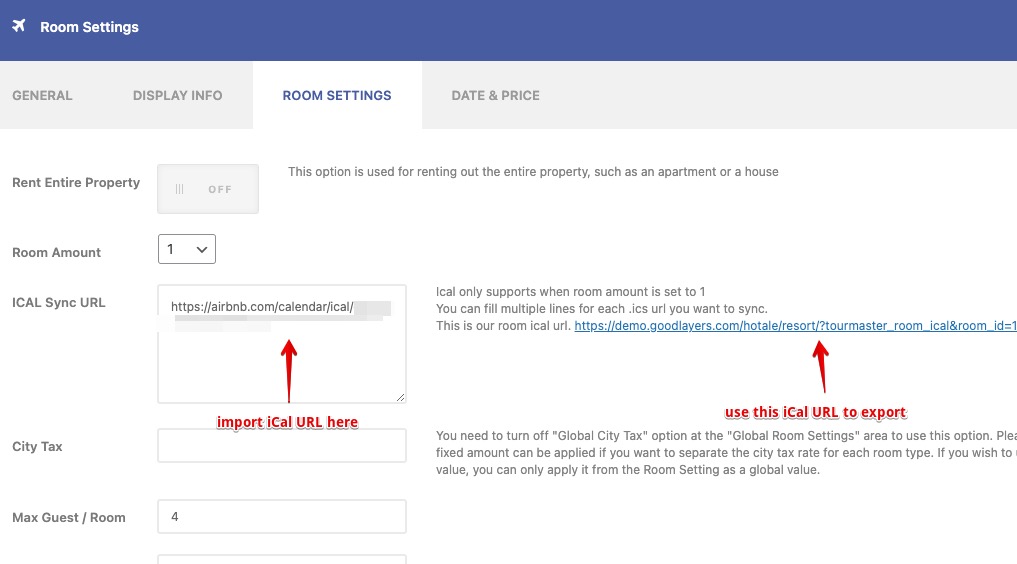
You can import multiple iCal by enter to the new line and fill new iCal url.
Setting Syncing Time Period
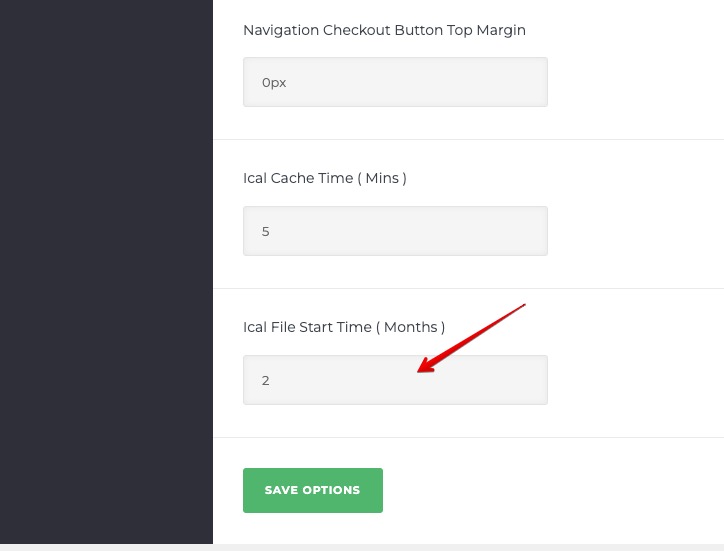
You can set the refresh interval for iCal as specific minutes in Room Settings > General Settings > iCal Cache Time(Mins) (Scroll down to the bottom)
However, please note that we can only refresh the imported iCal(i.e. from Air BnB) but note that on Air BnB and VRBO side, they will refresh their imported iCal(i.e. our iCal or other services) about every one hour so there will be a period of time that might occur the duplicate booking. This is nothing we can do about it too.(This problem is not our problem, it’s about how they set the refresh interval.)

Setting Old Data Period in iCal file
You can set the specific months to allow iCal to keep old data. For example, if you set it as ‘2’, all iCal data that’s older than two months will be removed. This feature is used for minimizing the iCal file size.
Syncing iCal with Air BnB
Syncing iCal with VRBO
Syncing iCal with HomeAway
Syncing iCal With iCloud Calendar(Apple)
You can use the benefit of iCal to view your booking in calendar view and also be able to perform the manual booking or manual blocking the room.
1. Open single room edit page and copy iCal url of your website.

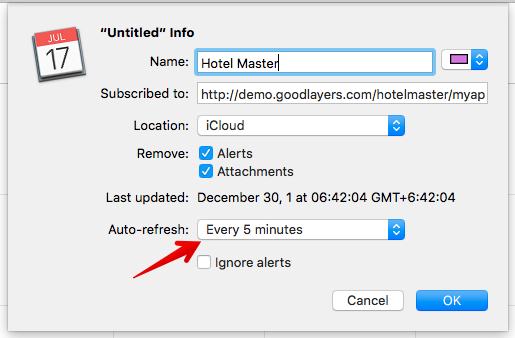
2. Open Calendar app from your Mac, on the top menu, clic on ‘File > New Calendar Subscription…’ and enter the url from 1.) then you can set the ‘Auto-refresh’ time as you want.
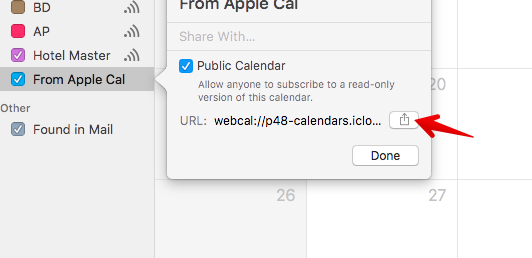
3. Create a new calendar and make it public.
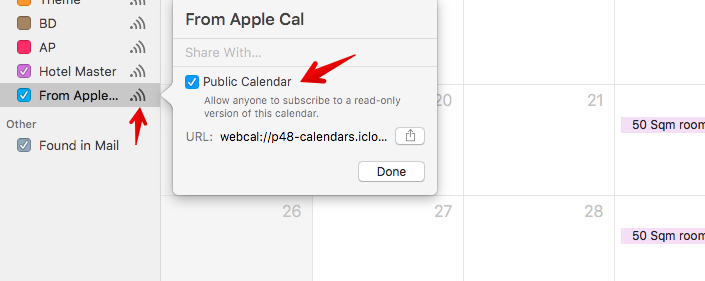
4. Click to share the calendar and select ‘Message’. At this point, you will get the full url. Change the ‘Webcal://’ at the front of url to ‘http://’ and put the whole url in single room edit page in iCal Sync URL box.